AI models that compete
Three AI forecasting models and a classic baseline are tested on your own past sales, product by product and market by market. Switch on AI planning for the products you choose, and the most accurate model plans their stock.
StokCrew is AI-native from the ground up. Mavrik and a crew of AI workers summarize your stock, profit, ads and suppliers, explain what changed, recommend what to do next, and then do the work for you, from keeping stock healthy across your whole supply chain to keeping every ad bid on target.
 Mavrik
Ask about your business. Answers come with the evidence behind them.
Ask Mavrik about your business
Inventory, orders, margins, advertising.
Ask Mavrik a question
StokCrew forecasts demand for every product in every market, then runs the whole supply chain around it: what to order, when, how it reaches Amazon and whether you can pay for it. Every sale feeds the next forecast, so the loop keeps your business running with stock that neither runs out nor piles up.
Every product in every market, from its own sales history, seasons and last year's same weeks.
What to buy, how much and by when, counting supplier lead times, MOQs, carton sizes and supplier holidays.
Turn the plan into a purchase order in a click. Supplier emails, quotes and inspections stay in the same place.
Shipments to FBA and AWD, and transfers from your warehouses as soon as Amazon has room.
FBA, AWD, your own warehouses and everything still on the way, in one stock picture.
Each day's sales feed the next forecast, and the cash-flow forecast checks you can pay for the next order. Then the loop starts again.
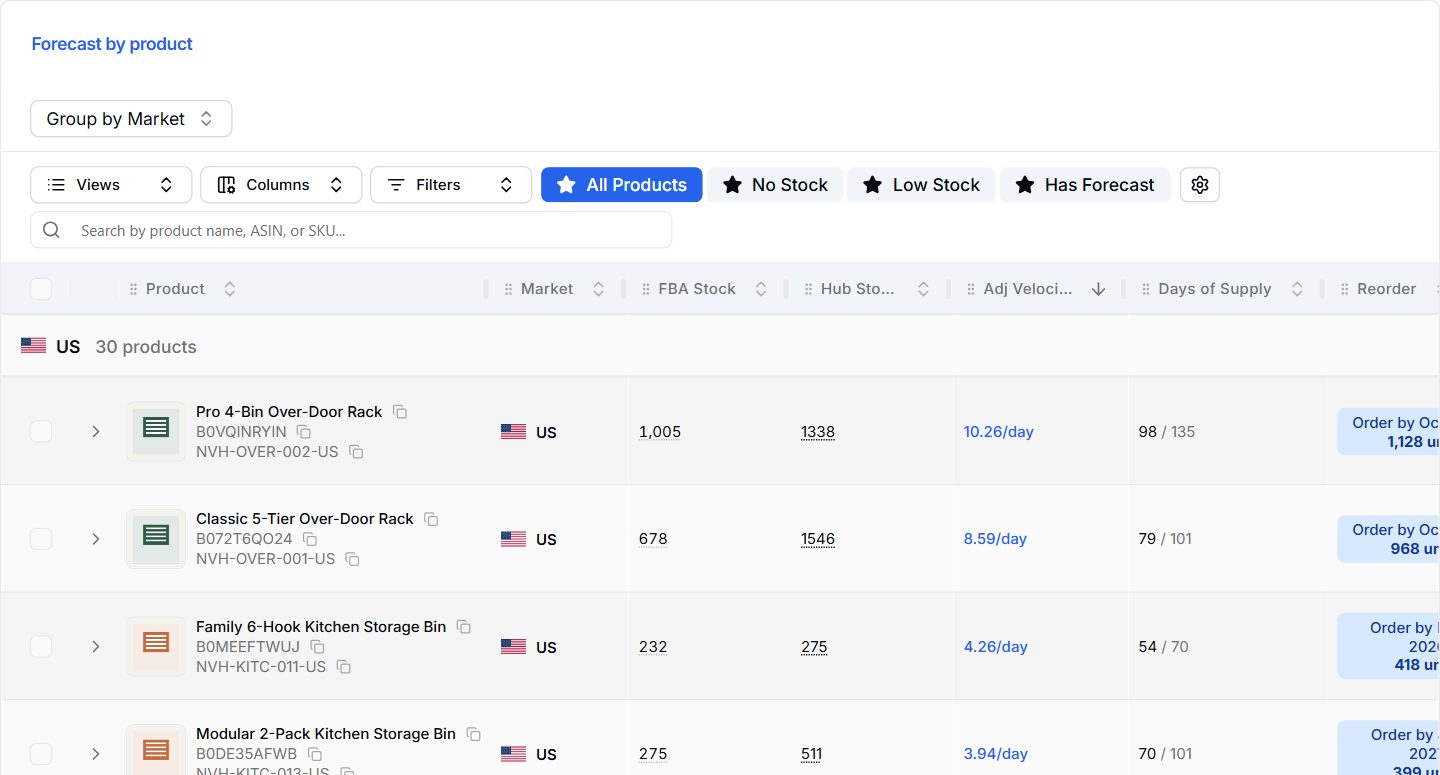
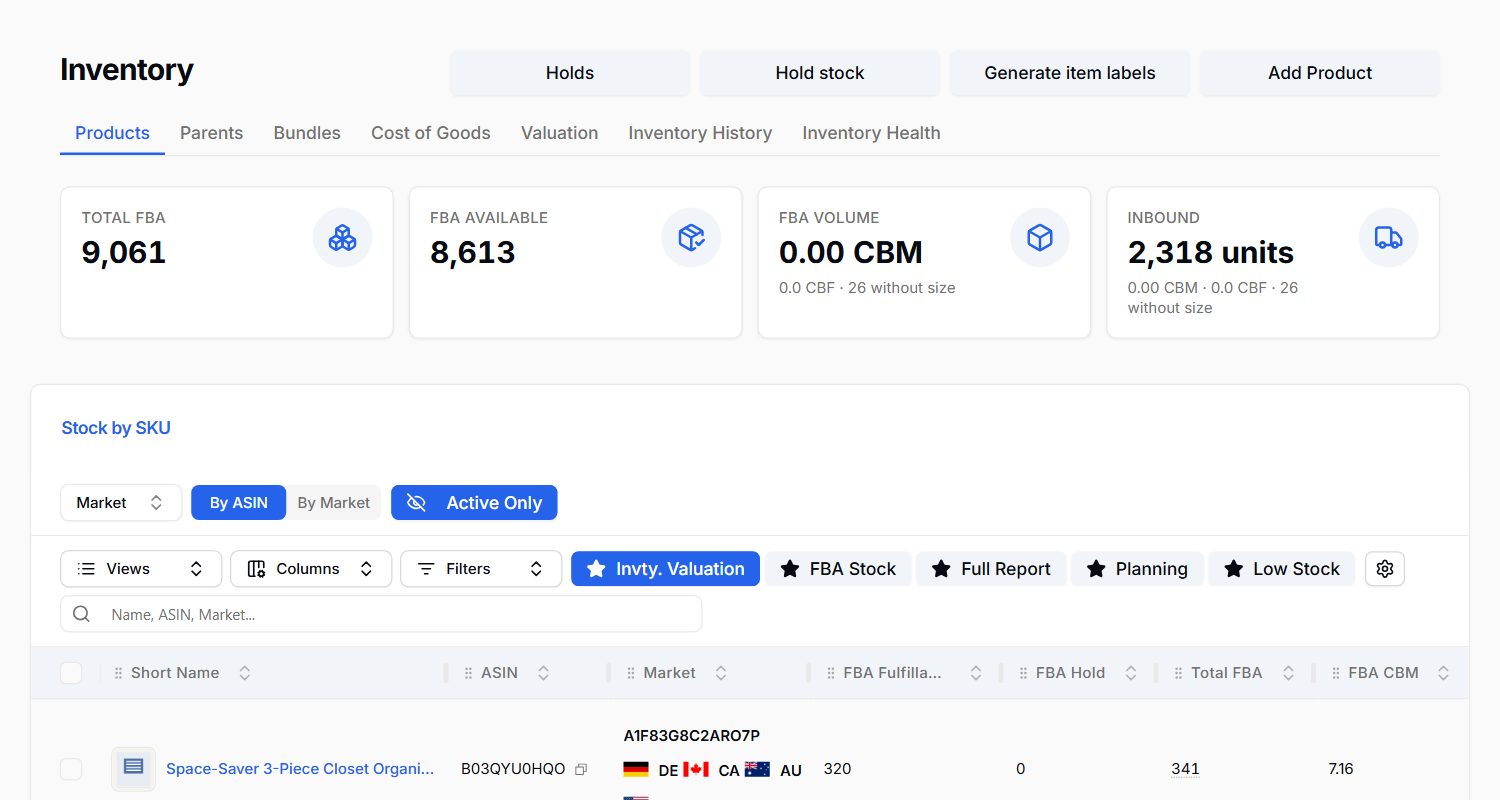
Every product, its stock, sales rate, days of supply and the next order date.
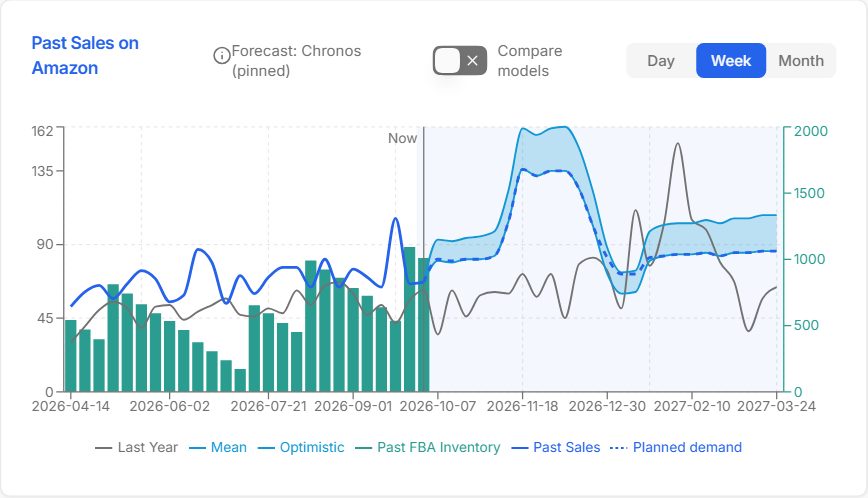
Past sales, last year and the forecast ahead, on one chart.
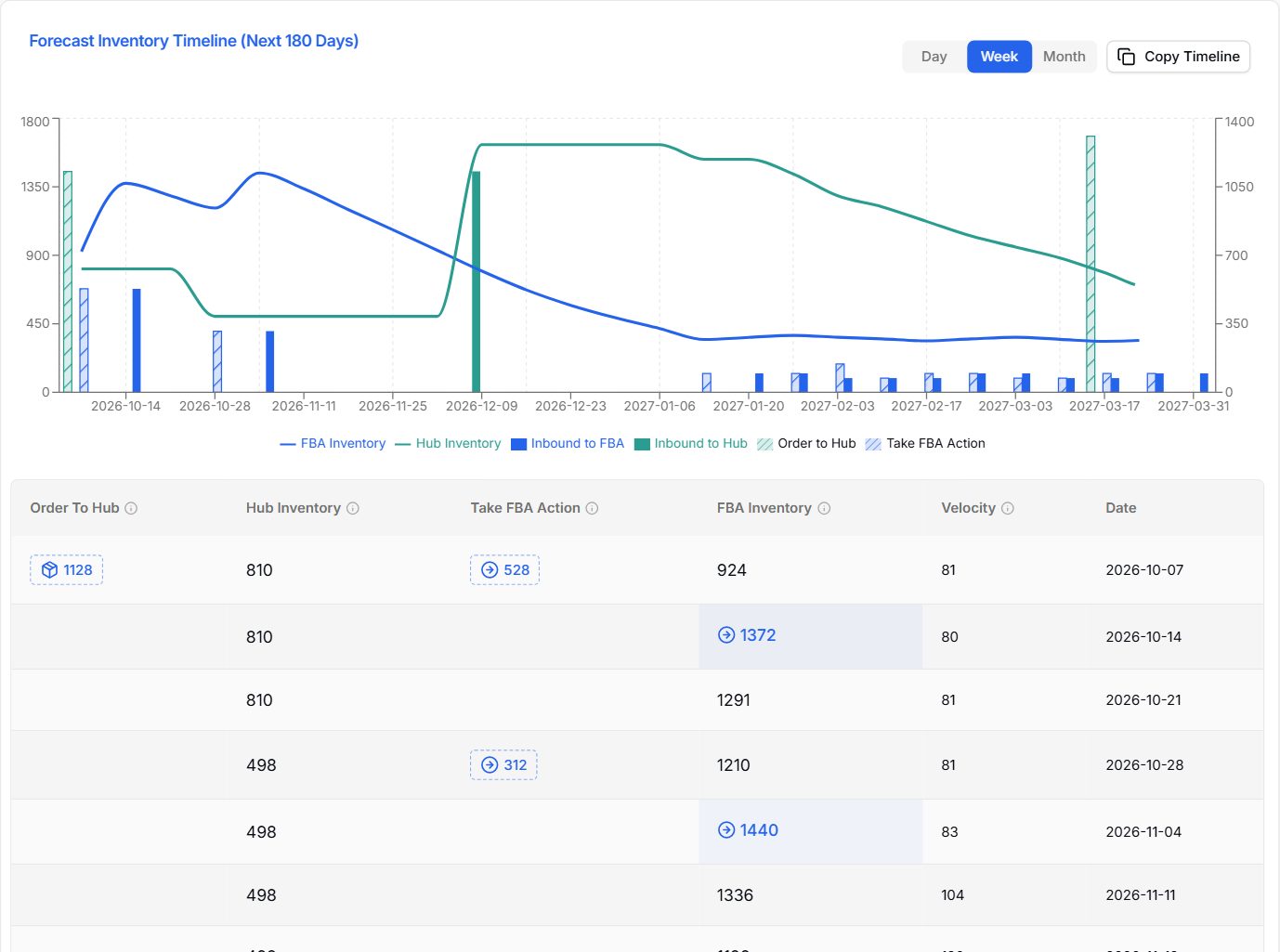
How stock will move week by week, with the planned order.
FBA, warehouse and inbound stock for every product.
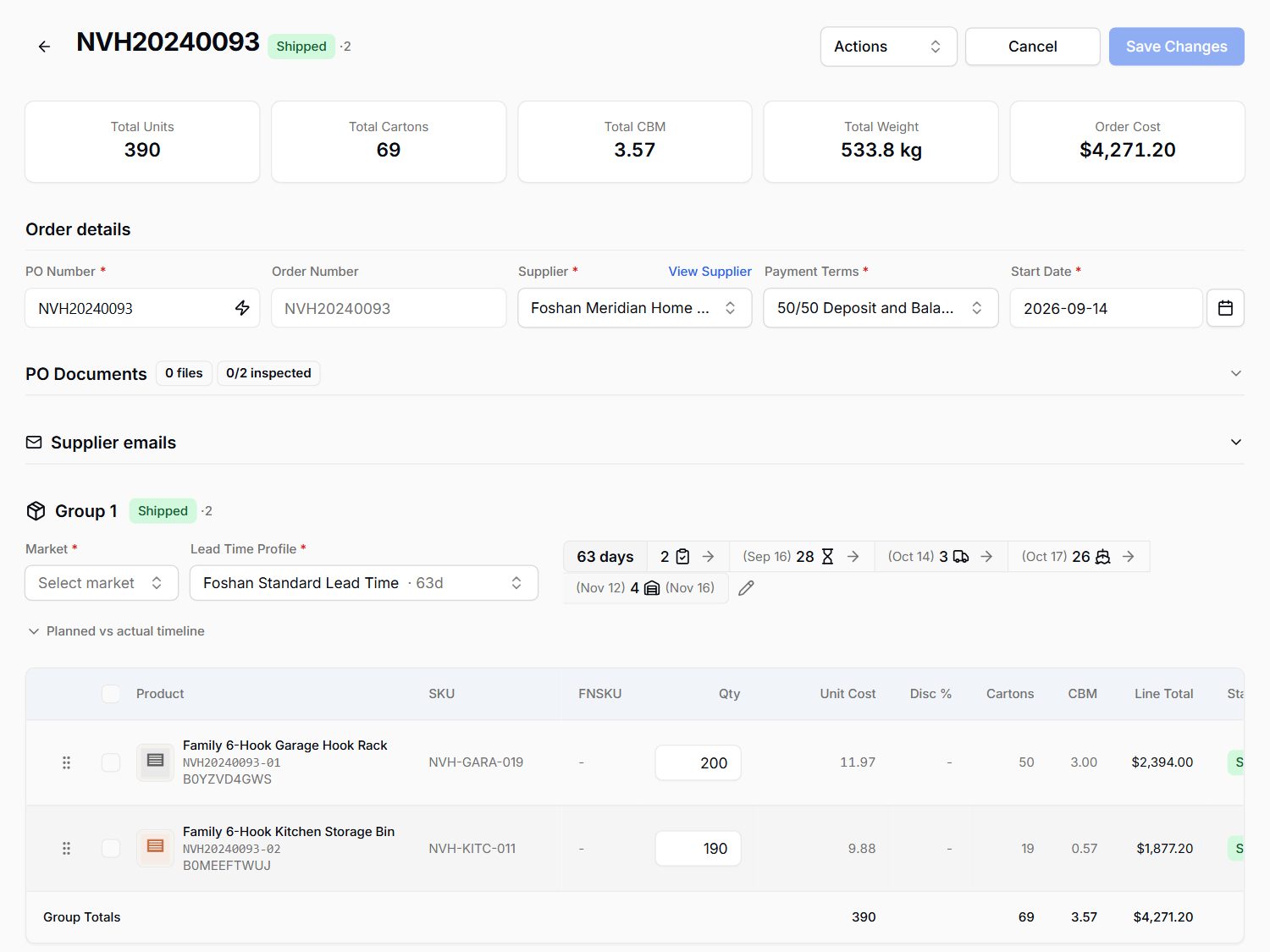
The reorder becomes a purchase order: products, costs, cartons and the route to Amazon.
Three AI forecasting models and a classic baseline are tested on your own past sales, product by product and market by market. Switch on AI planning for the products you choose, and the most accurate model plans their stock.
Forecasts learn from last year's same weeks and holiday seasons. The chart lays each forecast next to last year, so you can see the season coming.
Lead times, MOQs, carton sizes, warehouse and AWD stock, shipments already on the way and supplier holidays such as Chinese New Year are all in the plan.
Running out costs more than holding a little extra, so every order carries a safety cushion sized on how far the forecast has missed before.
Part of Stock Management and Purchasing and Shipping, on Operate and Autopilot. See pricing
Set a target ACoS for each product. After every Amazon ad report, the bid optimizer works out the right bid for every keyword and target and moves each one step by step toward your target.
Switch on automatic sending and the bids that pass every safety check go straight to Amazon. Or review and send them yourself. Either way, no more hand-editing bids in a spreadsheet.
Part of PPC Management: an add-on on Profit and Operate, included in Autopilot. See pricing
Set the ACoS you want for each product. Every bid is worked out against that product's target, not one blanket rule.
New bid recommendations land after each Amazon ad report, for every keyword and target. No weekly spreadsheet session.
Every bid is checked before it goes to Amazon. Anything flagged, rejected or unusually large waits for you to review.
See every bid sent to Amazon and when, so you always know what changed in your campaigns.
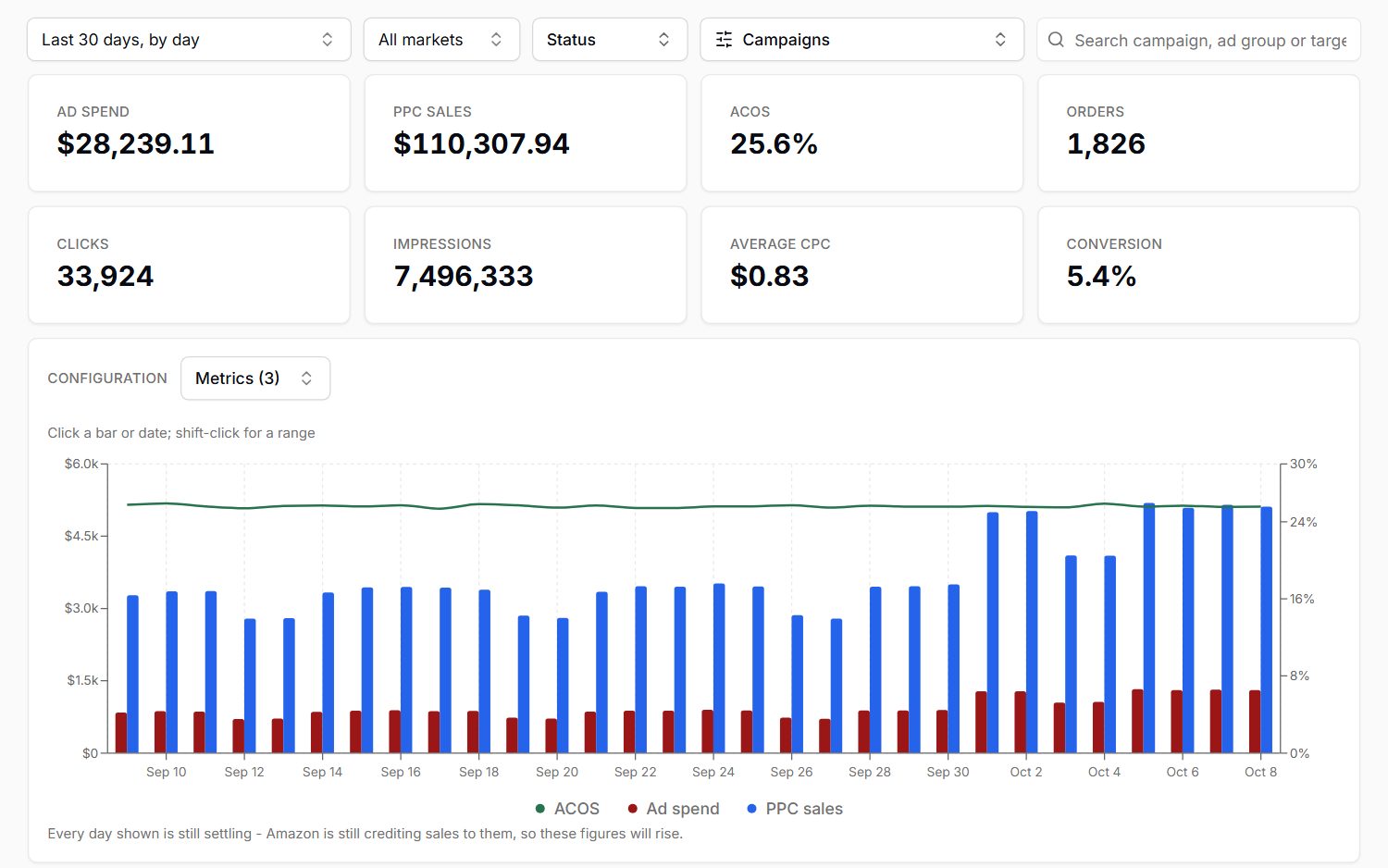
Ad spend, sales and ACoS day by day, with the totals that matter.
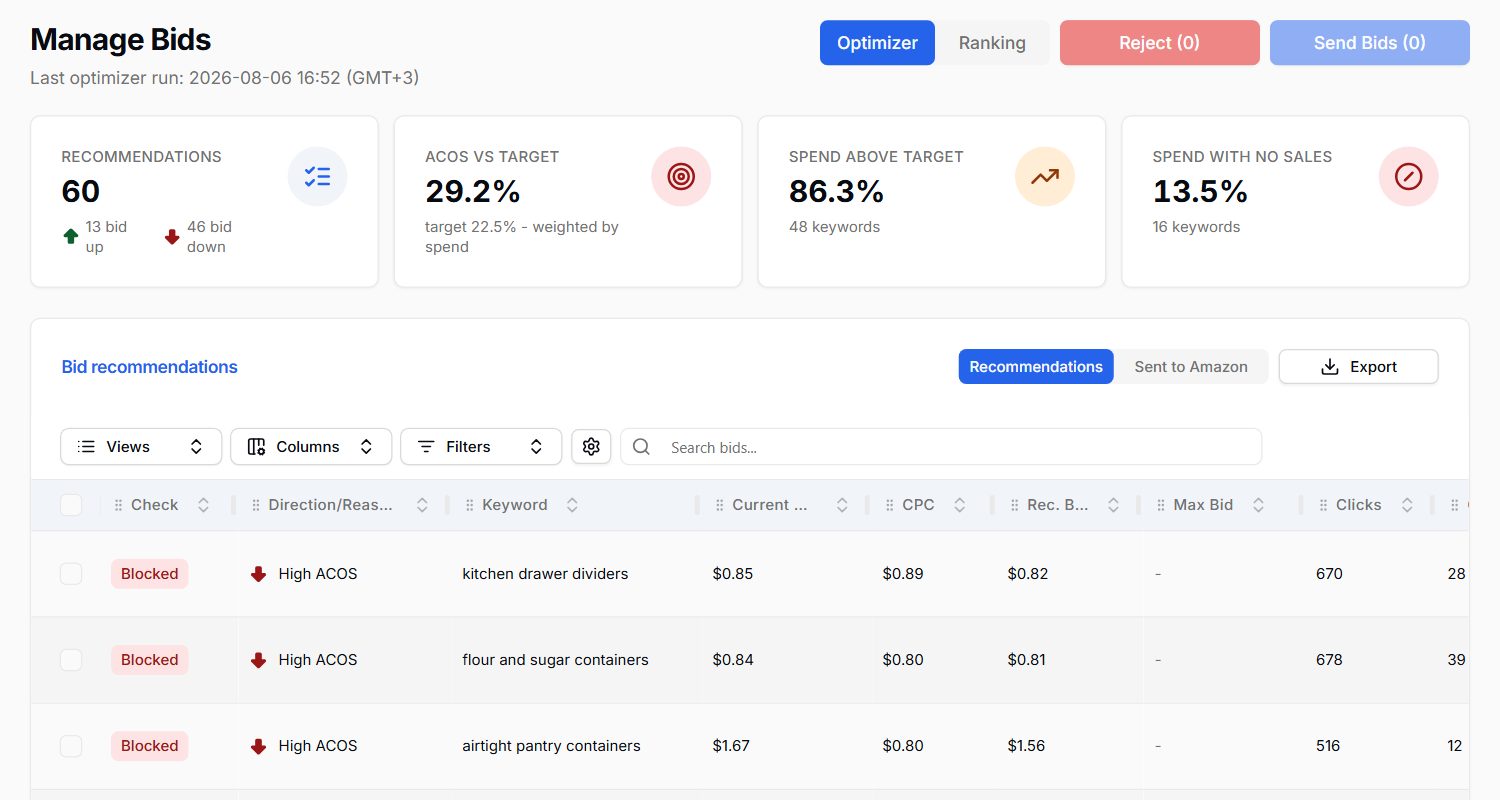
Every bid change, the reason for it and the safety check result.
What changes when an AI crew runs the daily work of your Amazon business.
Your AI crew takes on the daily work you would otherwise hire for: stock planning, reorder follow-ups, ad checks, inbox triage and claim hunting.
No forgotten reorders, missed claims or copy-paste errors between spreadsheets. The crew checks every product, order and report, every day, the same way.
Stock planned so you neither run out nor overstock, ad money moved to what sells, and the money Amazon owes you found and claimed.
What your crew optimizes
Most seller tools stop at dashboards and leave the work to you. StokCrew was built AI-first: every number, document and email lives in one data layer its AI reads, so it can take you from data to done.
And it is not just your Amazon data. Your suppliers, purchase orders, shipments and cash sit right next to it, so your crew can tell you a stock-out is coming because the factory is late, and what that does to your cash. A built-in marketplace assistant only sees the marketplace.
Pulls your sales, stock, fees, ads, suppliers and inbox into one clear picture, so you never dig through reports.
Spots what changed and why: a margin drop, a stock-out on the way, ad money going nowhere, with the numbers behind it.
Tells you what to do next: what to reorder and when, which ads to cut, which claims to file.
Does the work: sends review requests, reads claim replies, drafts supplier emails. With your approval, or on its own within rules you set.
Specialist AI workers, each owning one part of the business. Ask Mavrik anything and it brings in the right one. They bring you decisions, not dashboards.
Knows how much stock you have, where it is and whether it is enough, in every market, and tells you what to reorder.
Tracks who supplies you, on what terms, and where every order you placed with them has got to.
Follows every shipment on its way: what is inbound, where it is, when it lands and what a delay does to your stock.
Explains what your business actually made, product by product, and why it changed.
Your AI CFO: how much cash you will have, when it is lowest, and whether you can afford the next order.
Shows where ad money went, what it brought back and what is being wasted, and works with the bid optimizer that keeps every bid on target.
Knows every product and listing: what is live, what Amazon says is wrong, and where two records disagree.
Watches returns, seller feedback and the money Amazon may owe you, and tells you what can be recovered.
Reads the business email you forward, from suppliers, forwarders and Amazon, and hands each one to the right crew member.
Takes the big questions - a bad month, how to free up cash, where the risk is - and pulls the whole crew together for one answer.
Ten solutions on one set of data, so your AI crew sees the whole business and every number agrees. Here is what each one does, as it looks in the app.
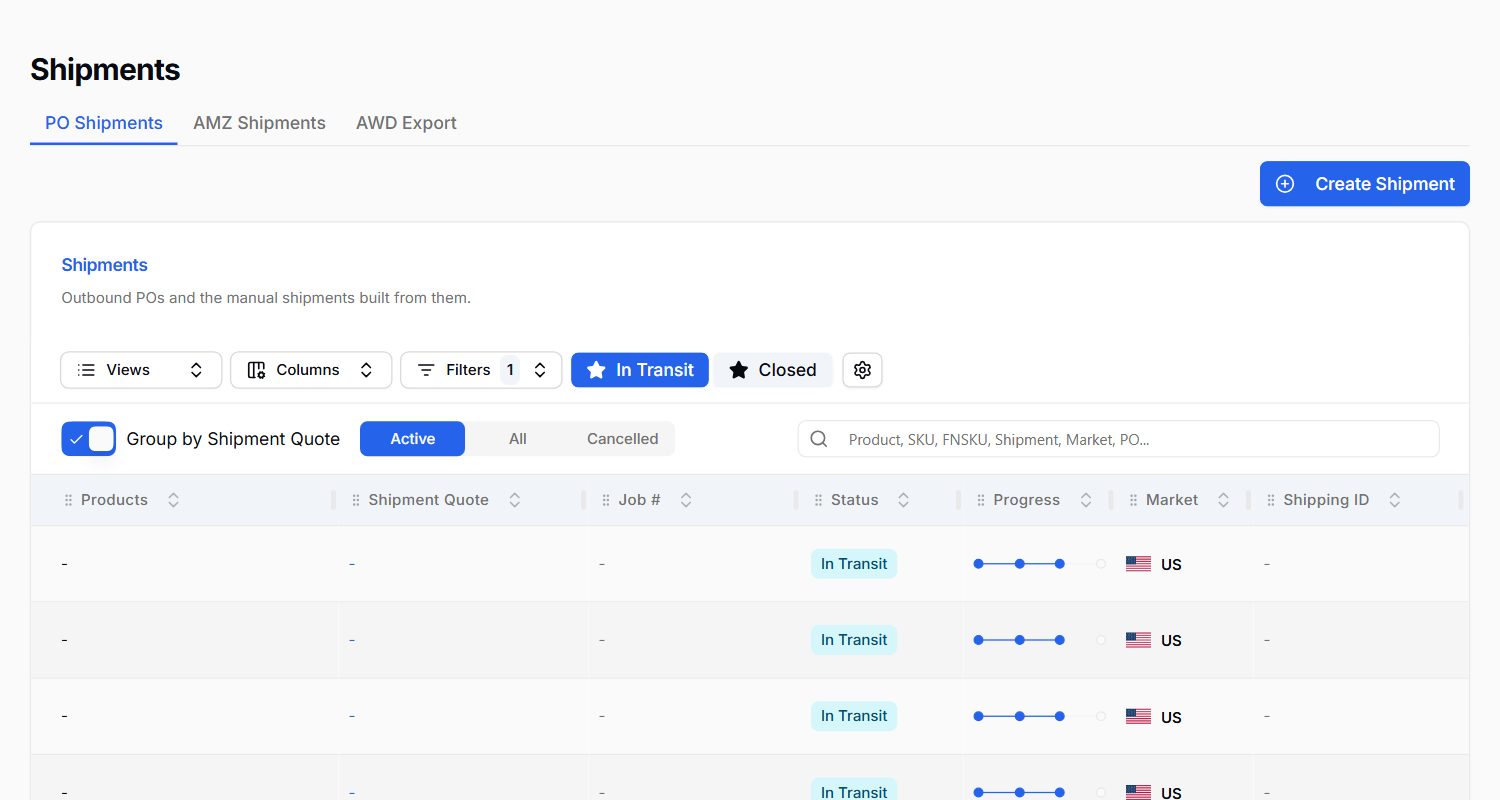
Every purchase order, supplier and shipment in one place, connected to the stock plan that asked for it. Your Purchasing Manager and Logistics Coordinator keep track of where every unit is.
Ask Mavrik: Which purchase orders are running late?
Operate and Autopilot
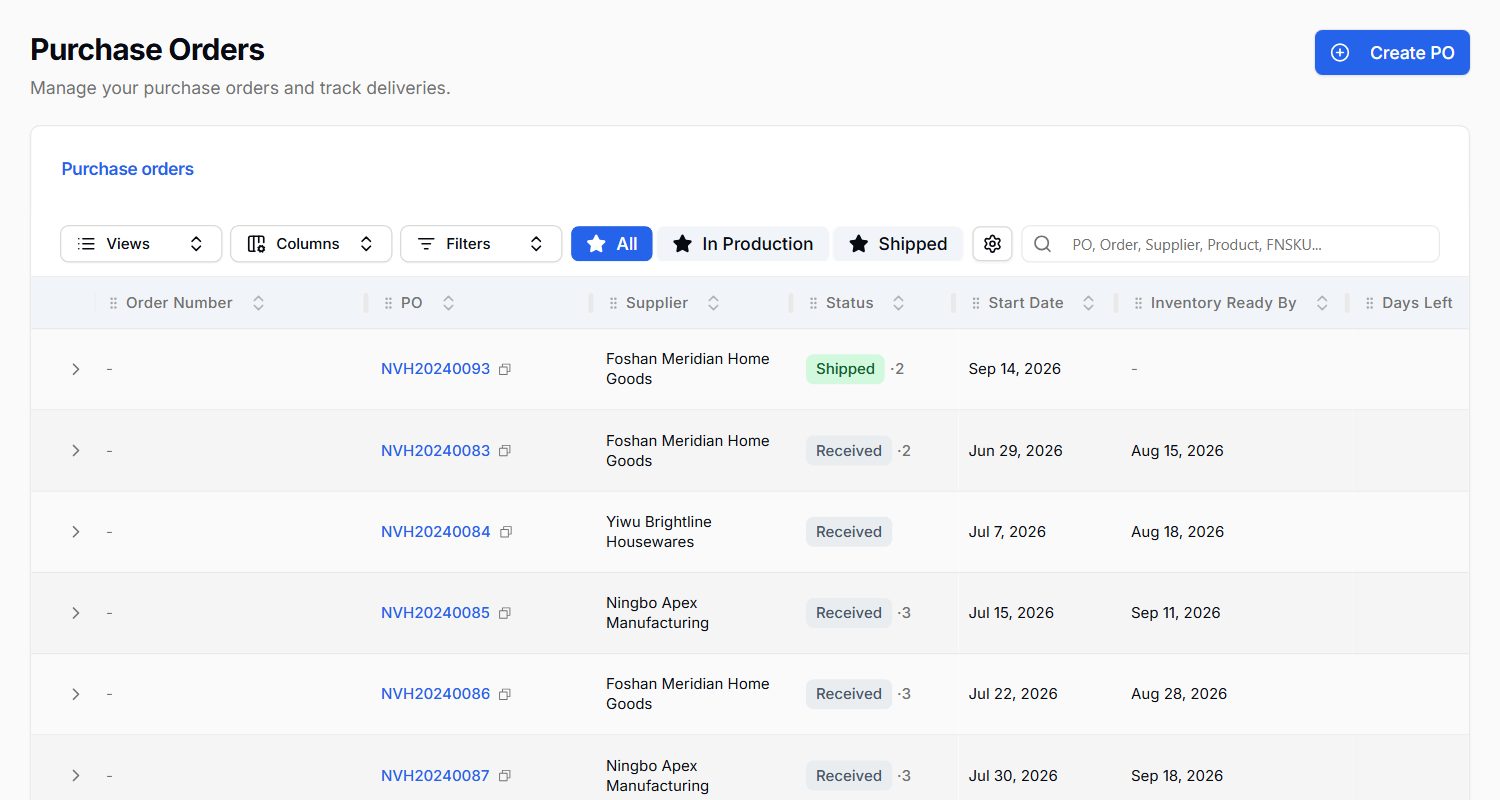
Every PO, its supplier, status and when the stock is ready.
Shipments on their way to Amazon, with progress and market.
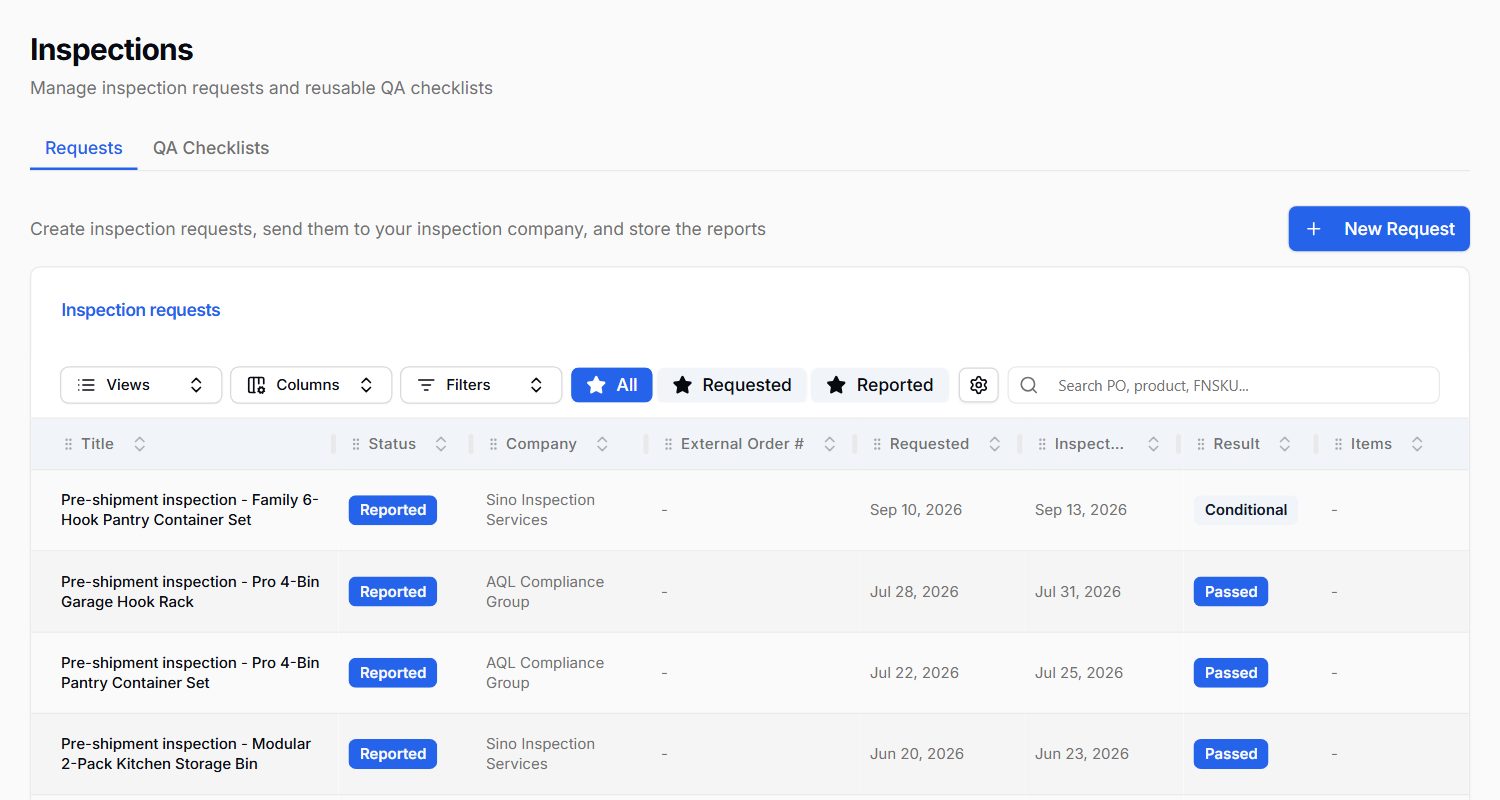
Pre-shipment inspection requests and their results.
True profit after every Amazon fee, ad, refund and overhead, with every payout reconciled. Your Profit Analyst explains why a number moved, not just that it did.
Ask Mavrik: Why did my margin drop last month?
Every plan
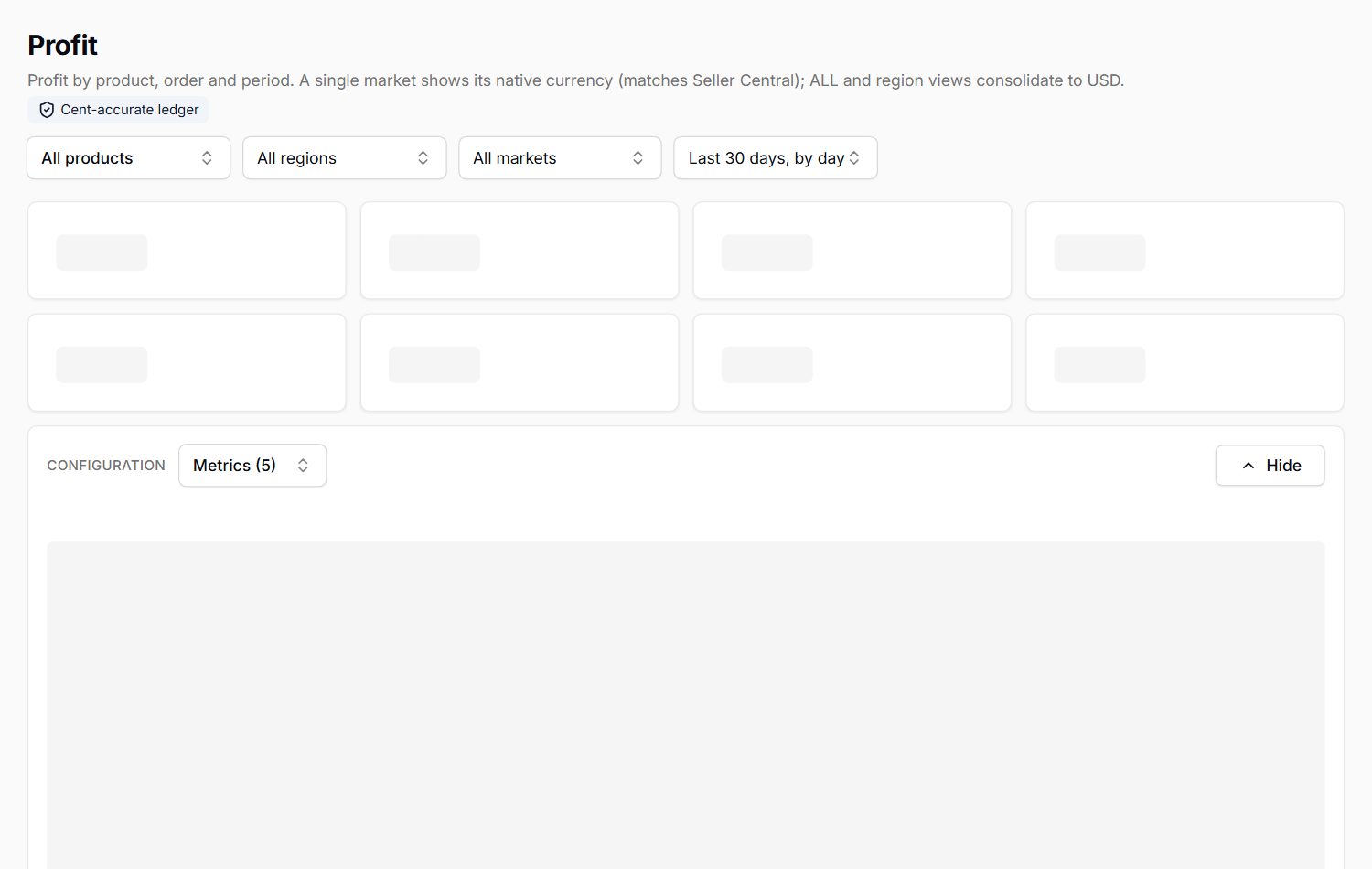
Sales, margin and net profit, with the trend over time.
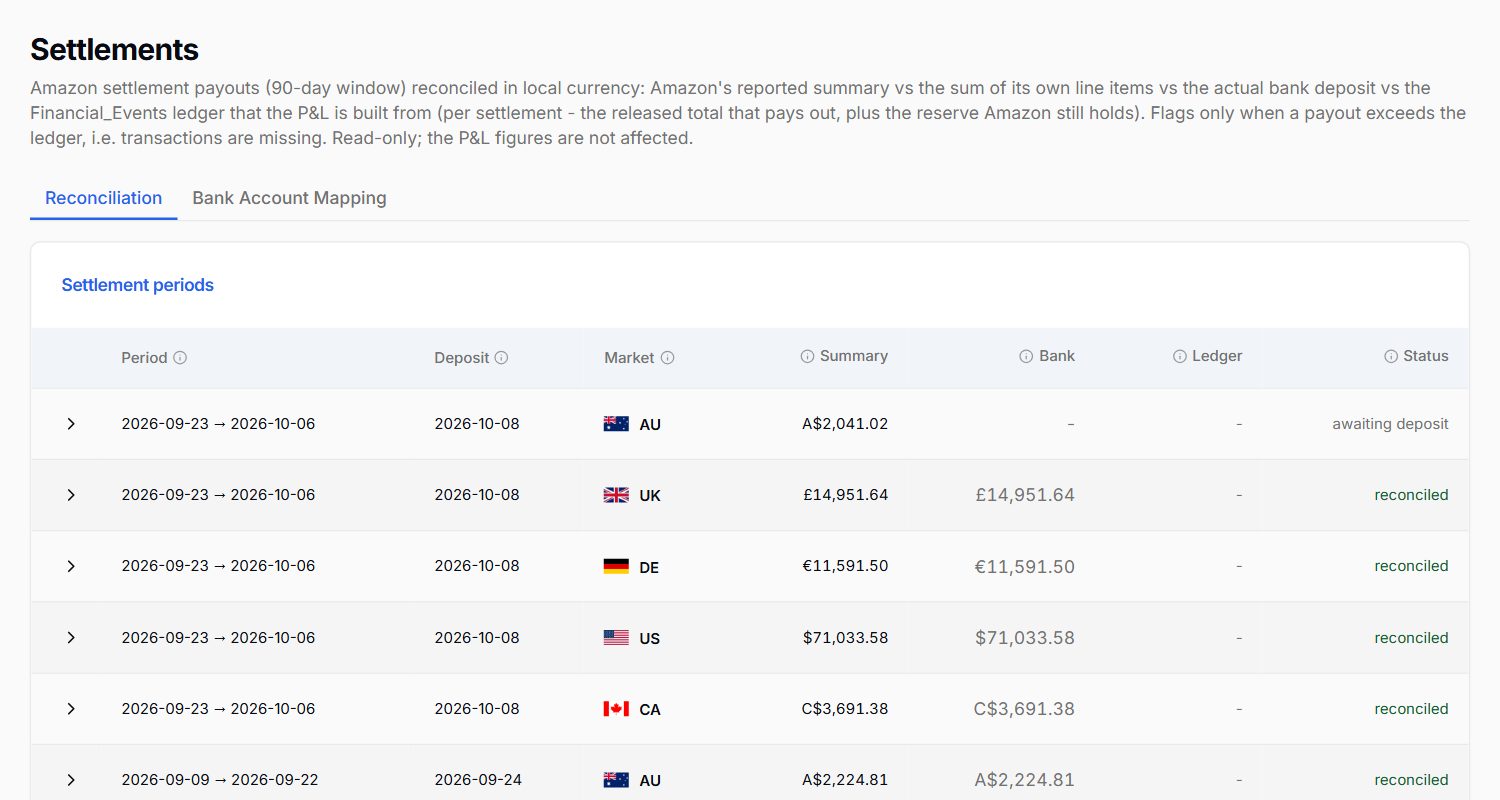
Every Amazon payout, reconciled market by market.
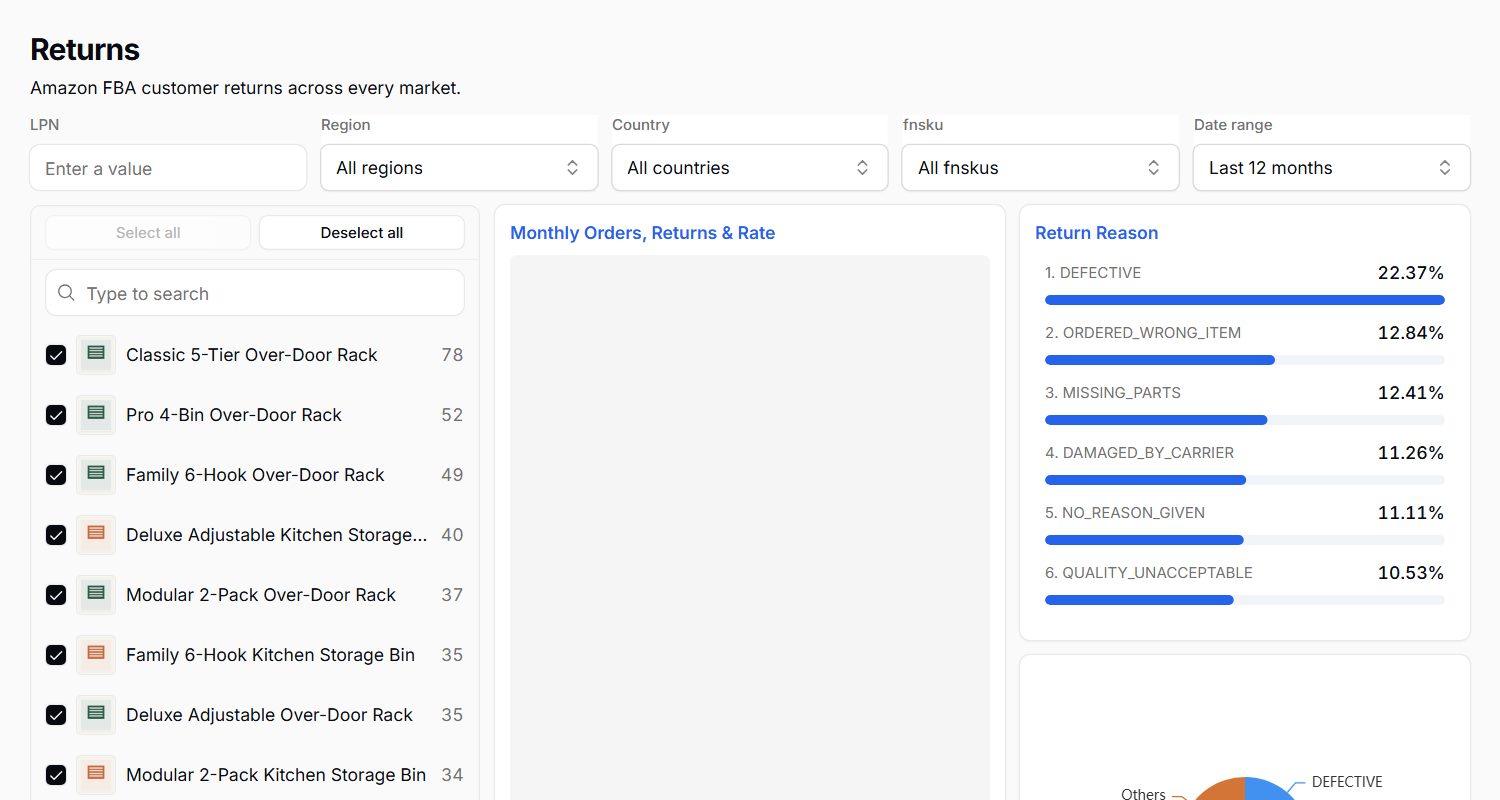
Which products come back, and why.
See which search terms bring your orders, how your rank moves against competitors, and build listings scored against the terms that matter. Your Listing Specialist flags what Amazon says is wrong.
Ask Mavrik: Which search terms brought the most orders this month?
Operate and Autopilot
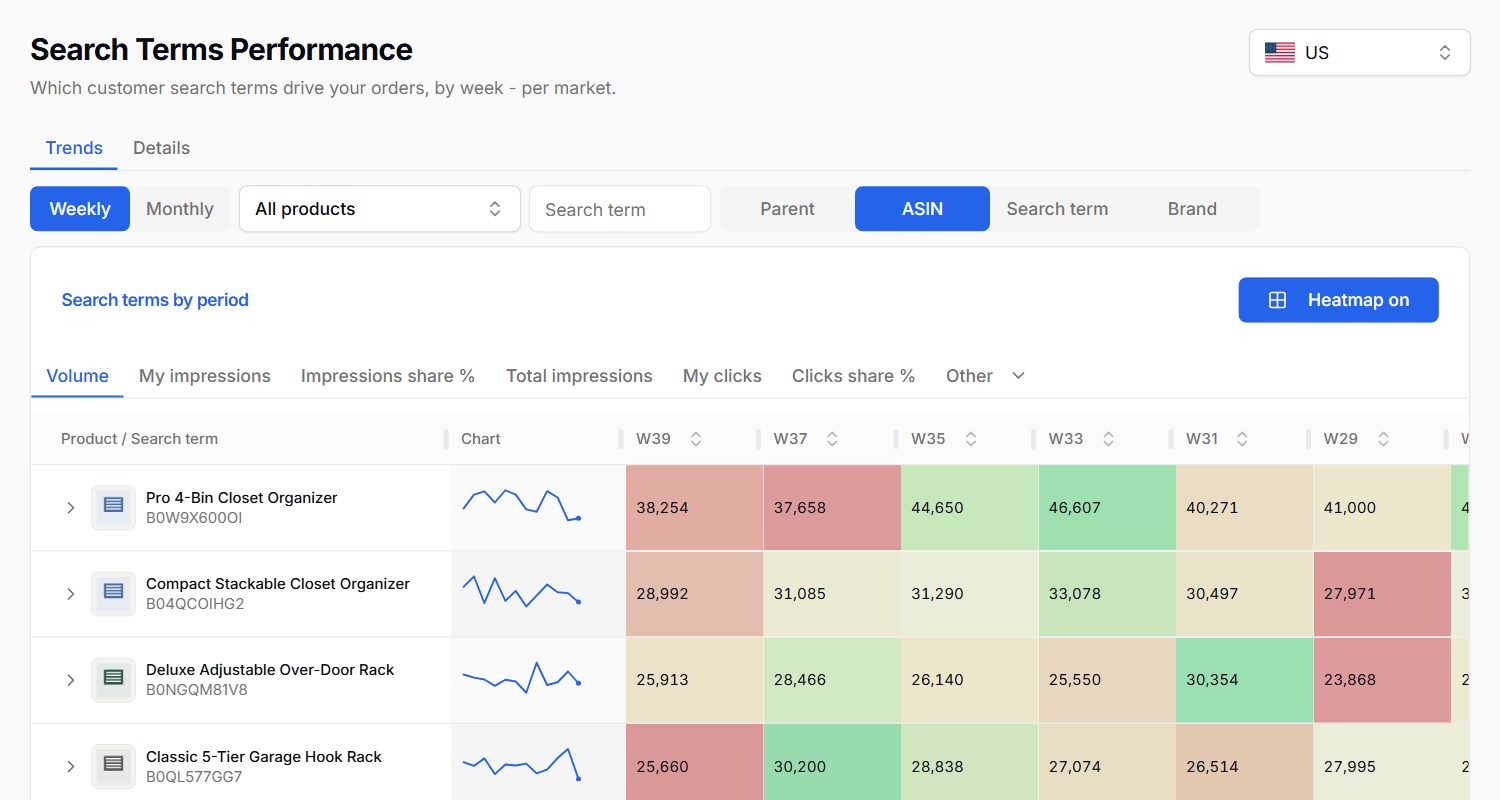
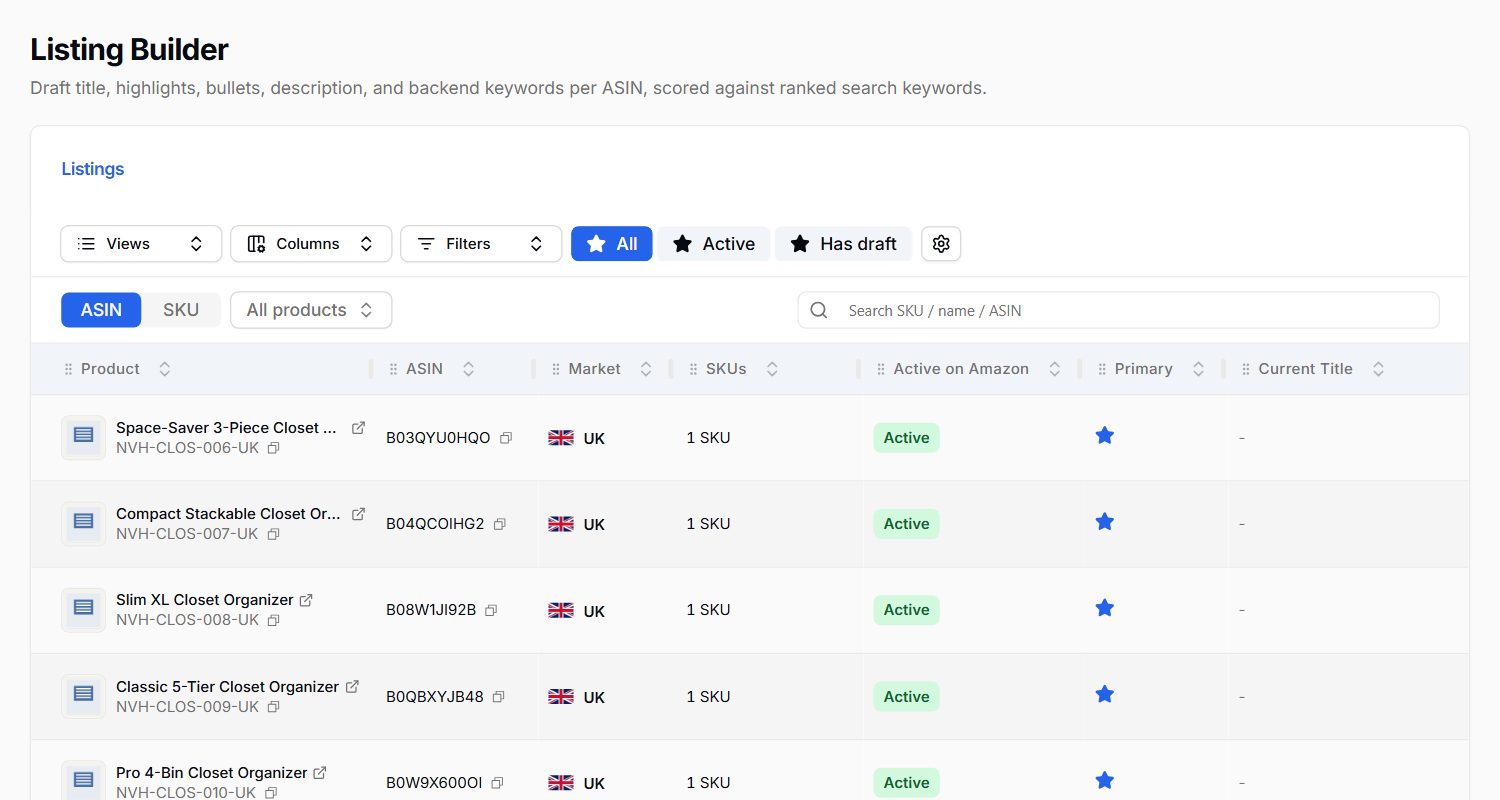
Search terms that drive your orders, as a weekly heat map.
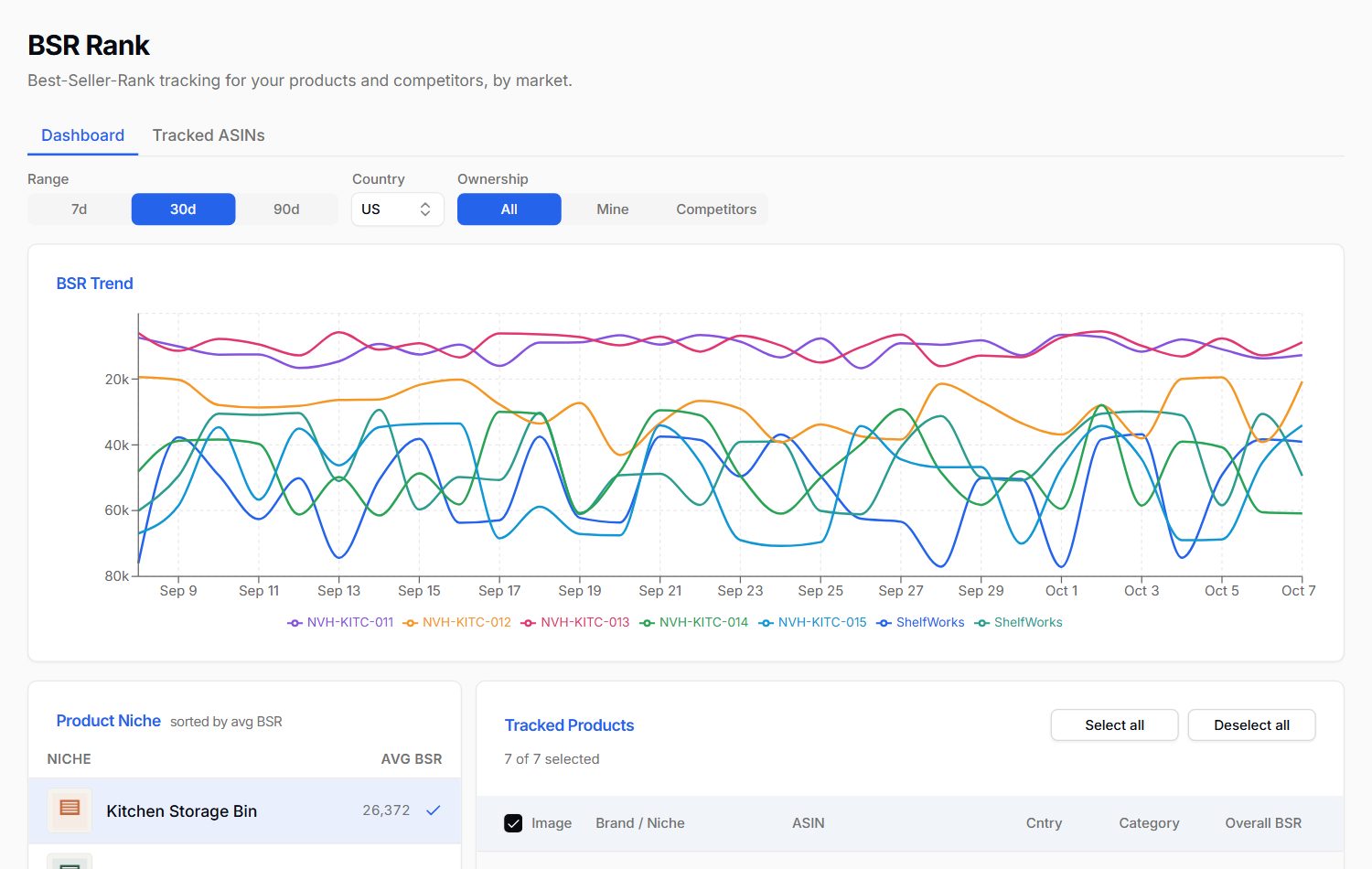
Best-seller rank over time for your products and competitors.
Every listing, ready to rewrite and score.
A rolling cash forecast from your bank balance, Amazon payouts and every supplier and freight payment you owe. Your Cash Flow Planner tells you whether you can afford the next order.
Ask Mavrik: Can I afford the next order from my main supplier?
Operate and Autopilot
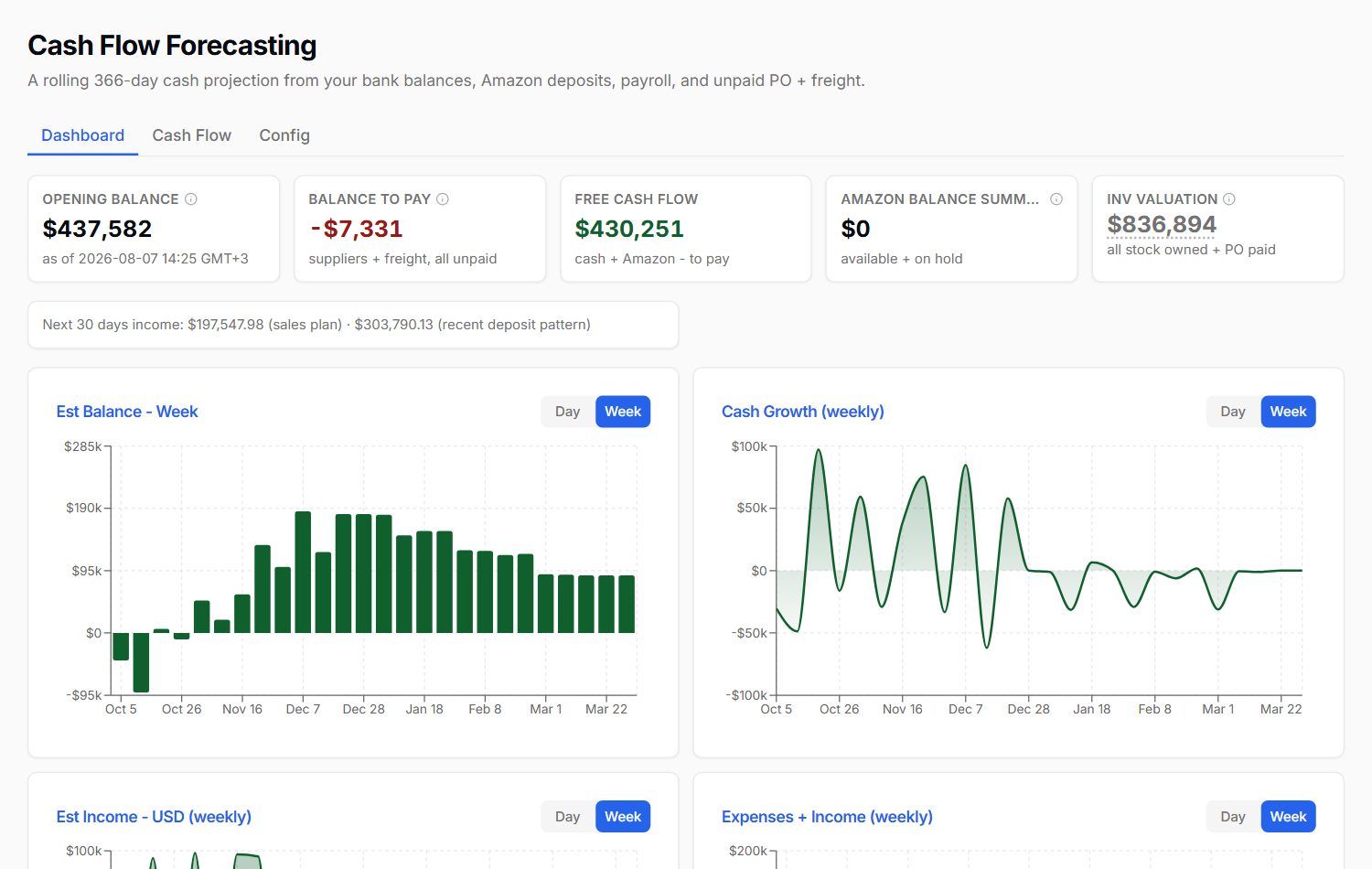
Your expected balance and cash growth, week by week.
StokCrew sends Amazon's own Request a Review for every eligible order, automatically, and watches new seller feedback across every marketplace.
Ask Mavrik: Which products got new negative feedback this week?
Every plan
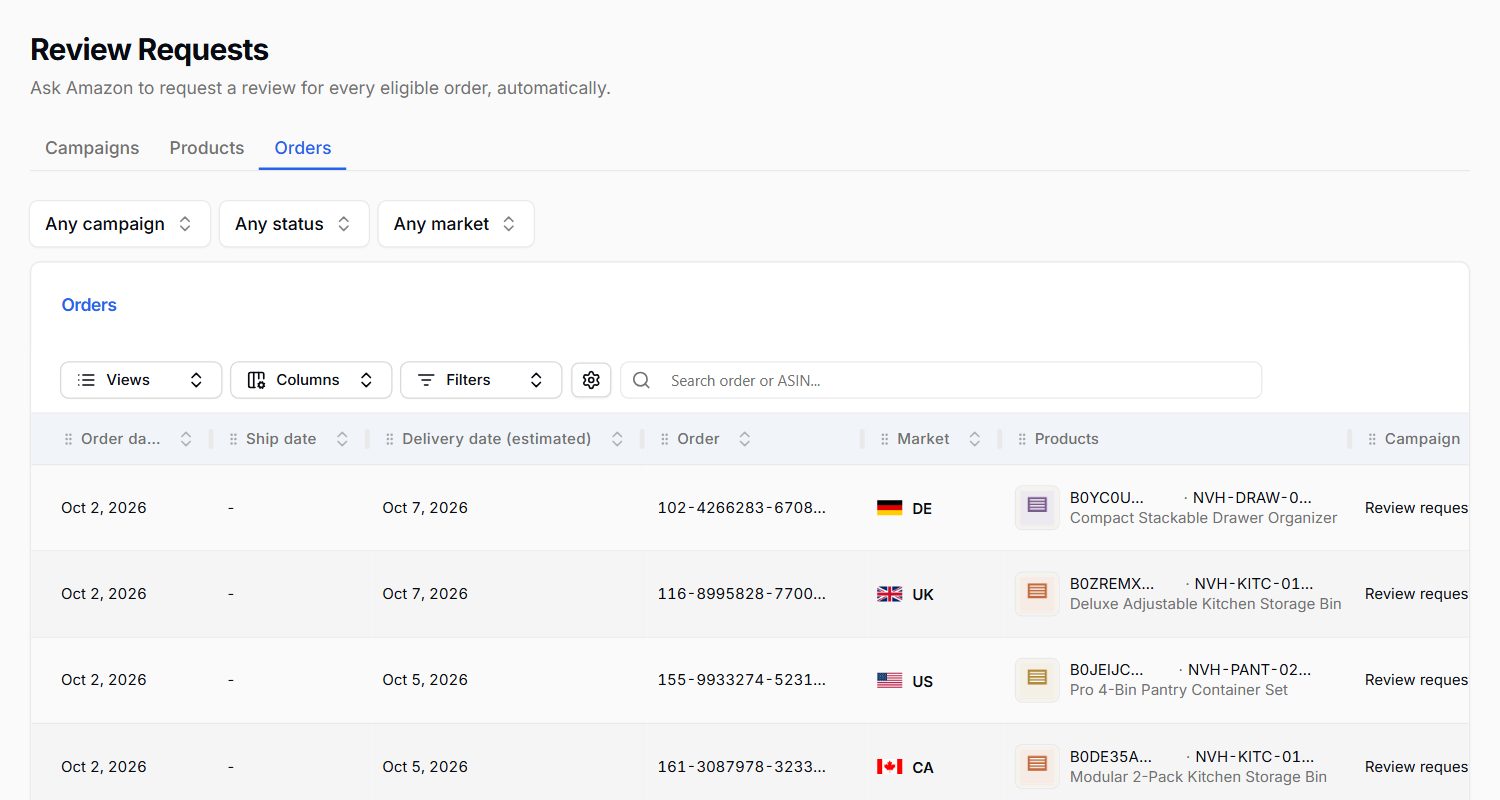
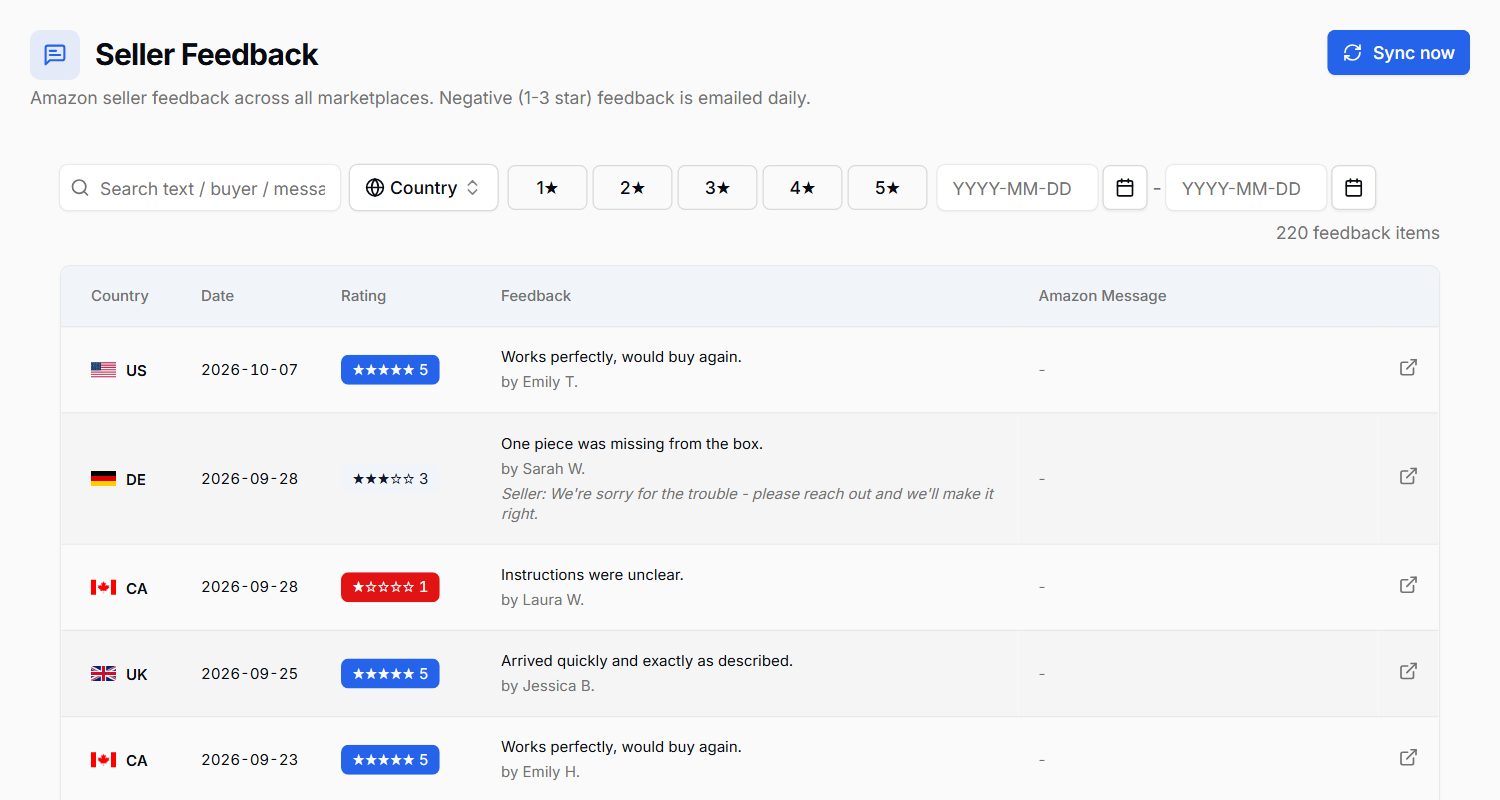
Every order and the review request sent for it.
New seller feedback across all your marketplaces.
Lost and damaged units, missing shipment items and other money Amazon owes you, found and tracked. Your Account Health Guard tells you what can still be recovered.
Ask Mavrik: How much does Amazon owe me?
Every plan
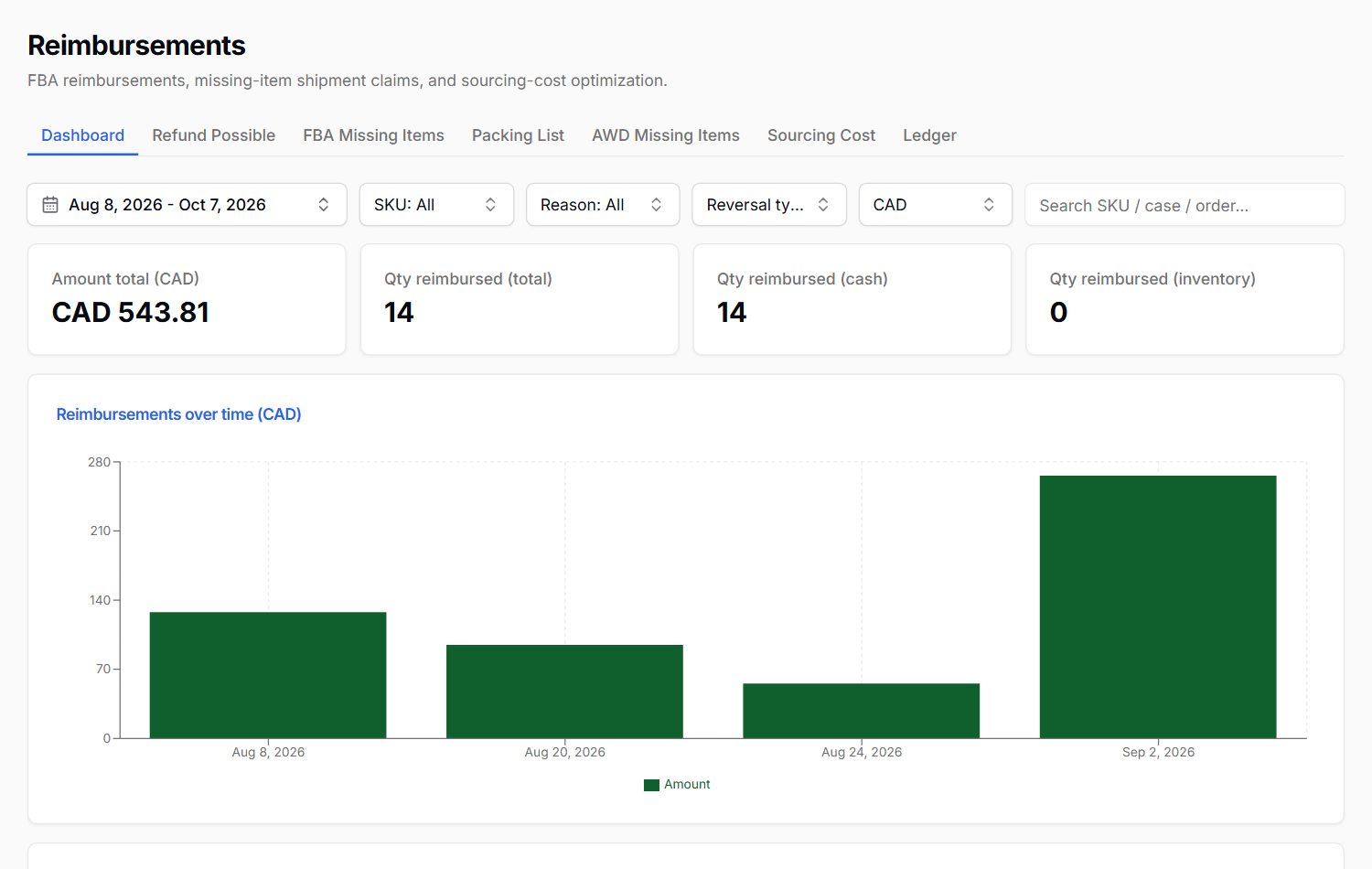
What Amazon has paid back, and when.
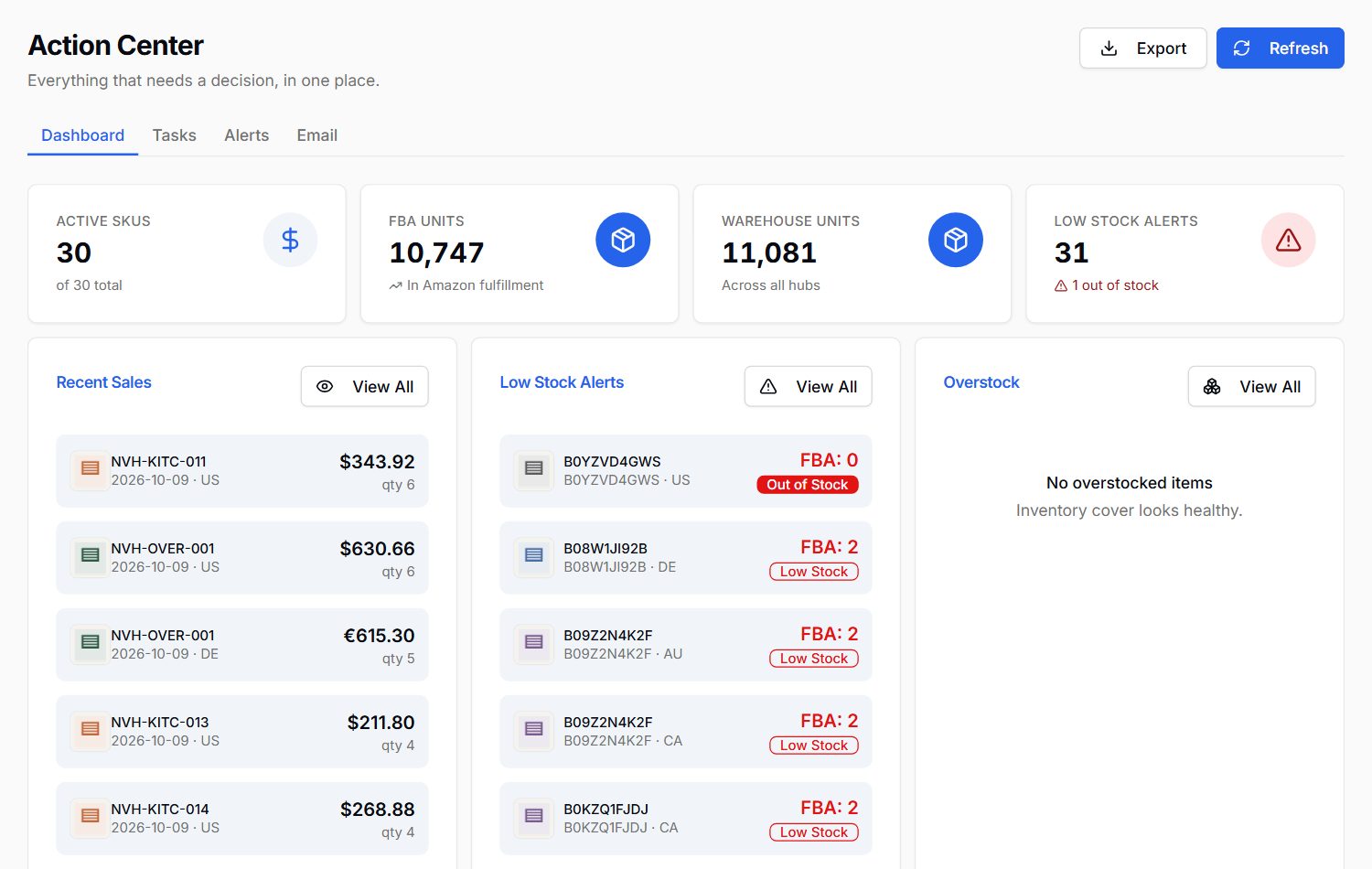
Your home screen pulls the day together across every Amazon region: the tasks that need you, recent sales, stock running low, open POs and shipments.
Ask Mavrik: What needs my attention today?
Every plan
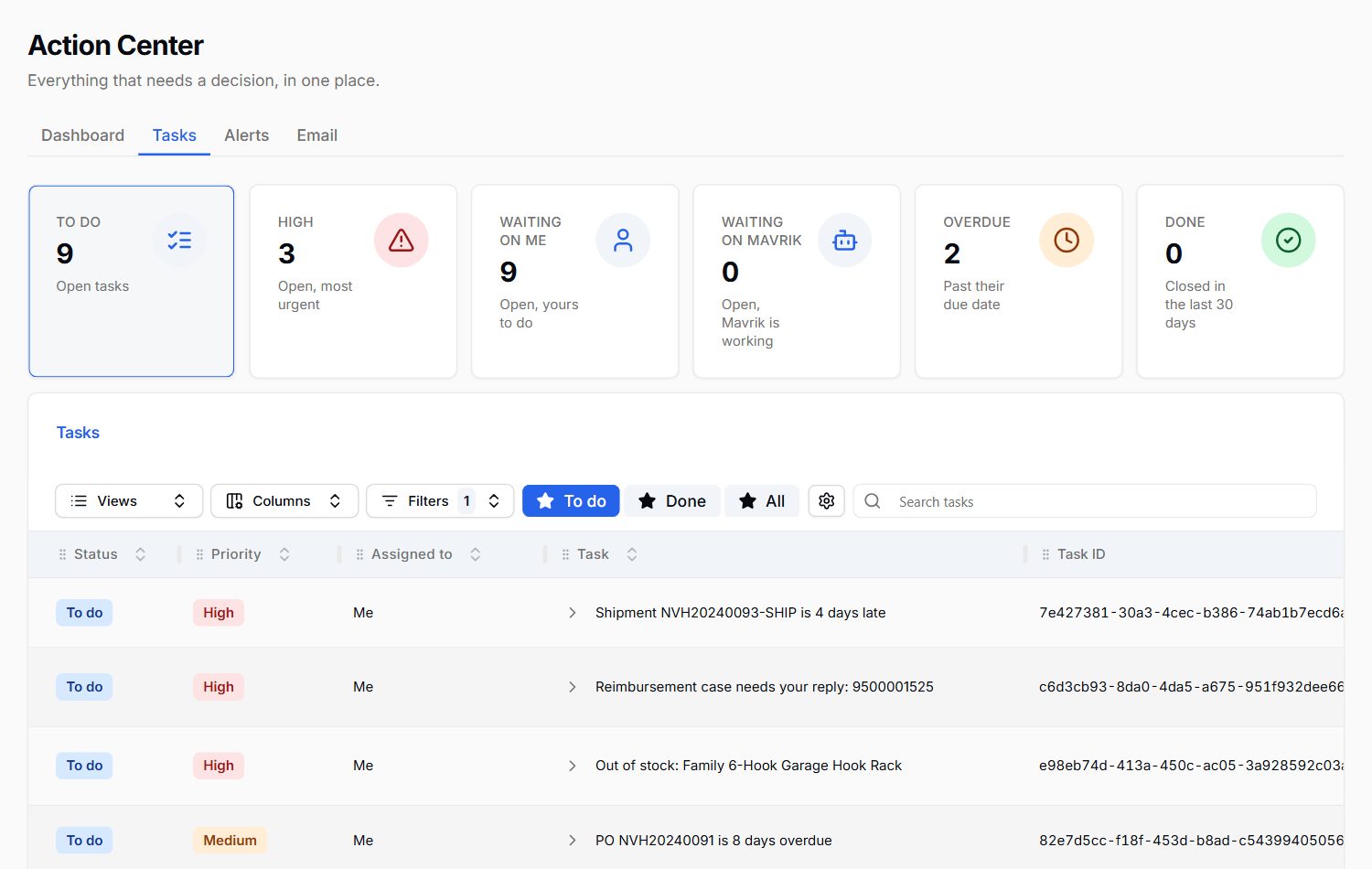
Every task that needs you, by priority: stock running out, claims to answer, late orders, bids to review.
Sales, stock alerts, open POs and shipments on one screen.
Mavrik answers from your own numbers, shows the evidence behind every answer, and brings in the right crew member for the job. In the app, and in Slack on Operate and Autopilot.
Every plan
From connecting your account to your AI crew at work.
Authorize StokCrew in Seller Central in a few clicks. Orders, stock, fees and ads start syncing for every region you sell in.
Profit is worked out per product, demand is forecast for every market, and everything that needs you lands on one home screen.
Check the reorder plan, approve the supplier email, act on the claims worth filing. Mavrik and your AI workers handle the legwork.
We run our own brand in four Amazon markets on StokCrew every day. Every screen answers a question we had to answer ourselves: what to reorder, what we really made, and where the ad money went. And it runs the way it helps you run yours, with an AI crew doing the legwork.
Most seller tools are built to display data: dashboards, charts and reports that you still have to read, connect and act on yourself. StokCrew is AI-native, designed for AI from day one with all your data in one layer its AI reads. So instead of another dashboard, you get a summary of what matters, the reason behind each change, a clear recommendation, and an AI worker that does the job, with your approval or within rules you set.
Mavrik is StokCrew's AI. It summarizes your sales, stock, profit and ads, explains what changed, recommends what to do, and brings in the right AI worker to do it. Some jobs already run on their own, like review requests; others, like supplier emails, wait for your approval. On Autopilot it can act within rules you set.
Create your account, then connect your Amazon seller account through Seller Central in a few clicks. StokCrew starts syncing your orders, stock, fees and ads, and Mavrik is ready to answer as soon as the first sync finishes.
Every Amazon region - North America, Europe and the Far East, including the US, UK, Germany and Australia - on every plan, at no extra cost.
Through Amazon's official Selling Partner API and Amazon Ads API. You authorize access in Seller Central and can revoke it at any time. We never ask for your Seller Central password.
No. Reimbursements are part of every plan, and you keep everything Amazon pays back.
A built-in assistant knows what the marketplace knows. StokCrew also knows your suppliers, factory lead times, purchase orders, freight, the business email you forward and your cash, so your crew can connect a late supplier to a coming stock-out to next month's cash, in one answer.
No. Keep them if you like. Most sellers run several tools that never talk to each other and do the connecting by hand. StokCrew puts profit, stock, purchasing, shipping, cash, ads and reimbursements on one set of data, so your AI crew does the connecting for you.
Mavrik answers from your own numbers, not from guesswork, and every answer shows the numbers and reports behind it so you can check. If the data is not there, it says so.
Team logins are rolling out. Each plan will include team members (2, 5 or 15 depending on the plan); today each account is used by its owner.
Not yet. Today StokCrew runs one Amazon seller account per login. One login across several accounts is planned.
Your data is used only to run your account. Amazon access goes through Amazon's official APIs, everything is stored in an encrypted database, and you can delete your data from Settings whenever you want.
Create your account, connect Amazon, and your AI crew starts learning your business today.
Get started